












Merge Duplicate Items
Applies to
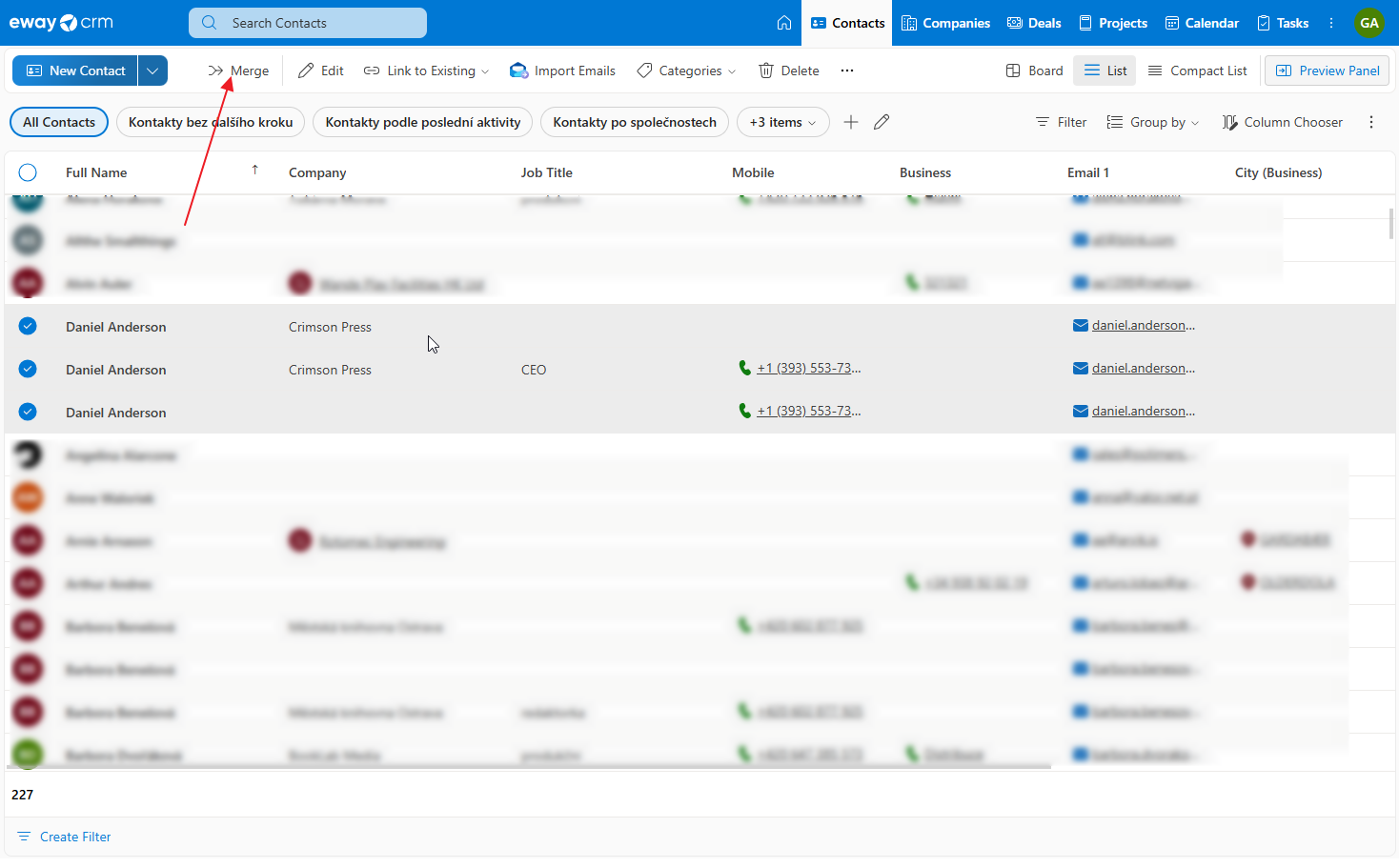
- In the eWay-CRM module, select the records you want to merge. You can click the preview circle or use the Ctrl key (Command on Mac).
- In the top menu, click Merge. Or you can use right-click on any item of your selection and chose Merge.
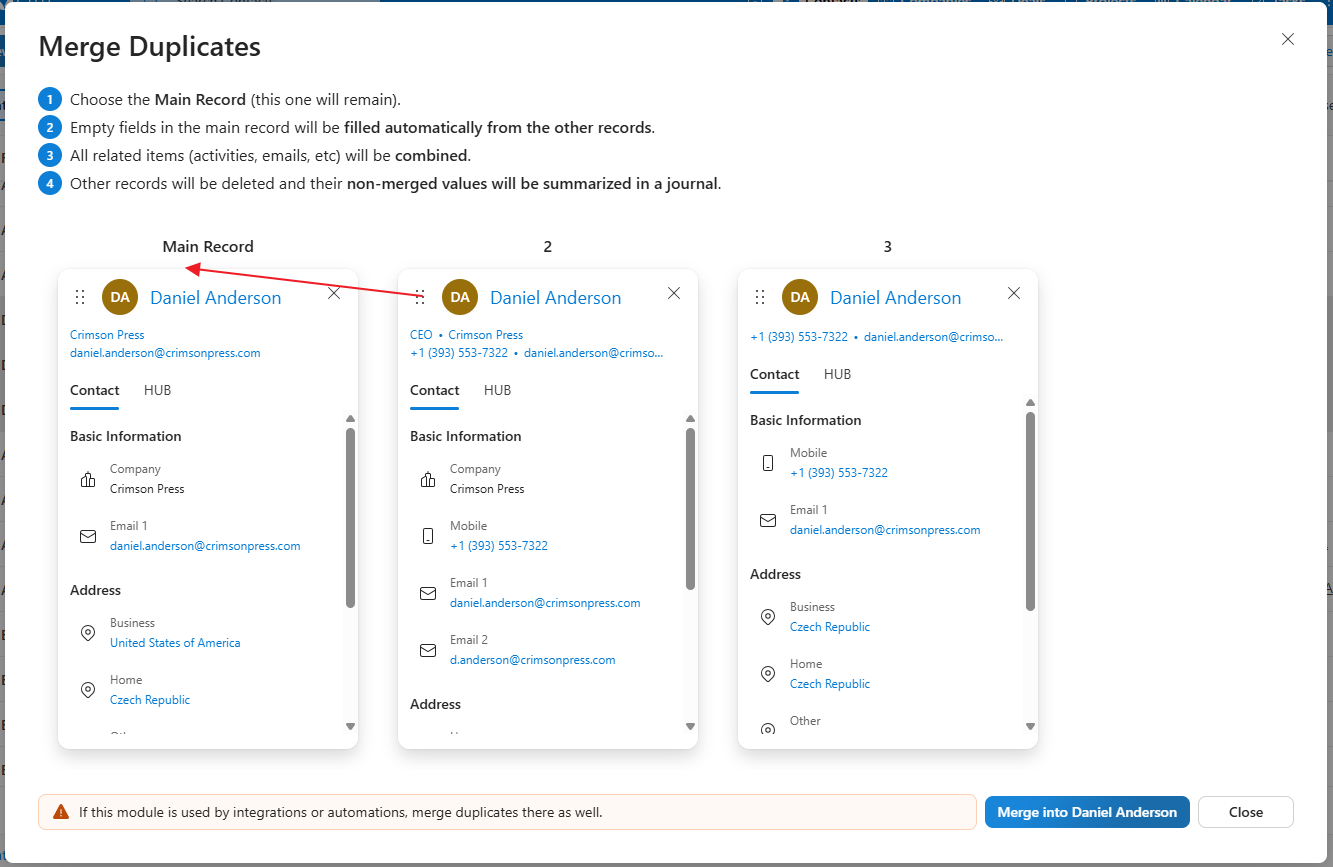
- The merge wizard will open. Drag and drop the records to arrange them from the most important to the least important.
- eWay-CRM will use the values from the main record and fill missing information from the other records. Different values will be saved to the journal. Notes will be combined together and all links and related objects will be preserved.
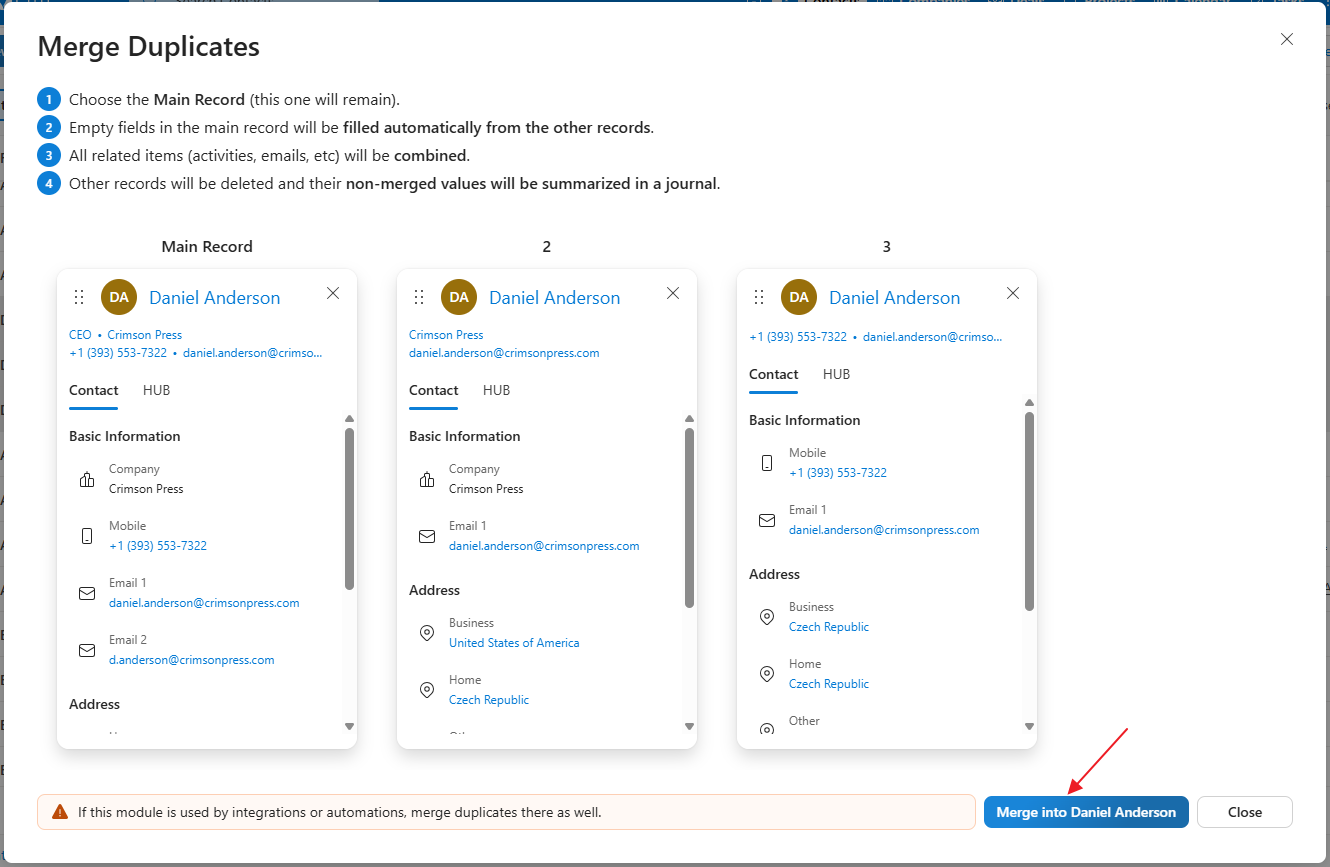
- Click the Merge button.
- If you use integrations with third-party systems such as Pohoda or Money S3, make sure to merge the records there as well.
- After the process is complete, eWay-CRM will open the resulting record, where you can see the merged data, notes, and related objects.
Was it useful?

Thank you for your feedback.


Continue here
- Import Contacts from Microsoft 365
- Import Contacts from Microsoft Outlook
- Import Contacts From Emails / Contacts Suggestions
- Import Data From Microsoft Excel
- Synchronize Contacts with Microsoft 365 (server)
- Synchronize Contacts with Outlook (local)
- Create Grid Reports
- Bulk Edit Data
- Bulk Delete Data
- Create Custom Fields
- Create Custom Forms