As an office manager, you’re the master juggler—coordinating calendars, chasing action items, and making sure every meeting actually moves the business forward. Yet meetings remain one of the biggest time thieves in any organization. Endless notetaking, forgotten follow-ups, and that sinking feeling when the discussion drifts off agenda… sound familiar?

Hidden inside your existing Microsoft 365 subscription (with a Copilot licence) is a powerful AI teammate that works silently in the background: Teams Facilitator. It’s not another app to learn or a third-party bot to pay for. It’s a native Copilot agent that joins your Teams meetings like an extra participant—except this one never gets distracted, never forgets, and never needs coffee.
Office managers who have started using it are already reclaiming hours every week. One summed it up perfectly: “I used to spend 45 minutes after every meeting cleaning up notes and chasing people. Now I close the meeting and move on. Facilitator does the rest.” It simply helps get things done faster, similar to another tool we wrote about in this blog.
What Exactly Is Teams Facilitator?
Think of Facilitator as your personal meeting co-pilot. Once turned on, it:
- Takes real-time collaborative notes in a shared Microsoft Loop page that everyone in the meeting can edit live (desktop, mobile, or even directly from a Teams Room console).
- Keeps the conversation on track by following the agenda you included in the invite or the goal you state at the start.
- Delivers timed recaps at the halfway mark and again before wrap-up—highlighting decisions made, open questions, and next steps.
- Automatically captures action items and lets you assign them to people right there in the meeting.
- Responds to @Facilitator mentions in the meeting chat (e.g., “@Facilitator summarize the pricing discussion” or “@Facilitator search latest industry stats”).
- Generates a clean post-meeting summary in the Recap tab, complete with decisions, tasks, and a beautiful, editable document.
No more “Who’s taking notes?”, no more scattered OneNote pages, and no more Monday-morning “What did we actually agree on?” emails.
Why Office Managers Are Loving It
You already wear enough hats. Facilitator quietly removes the administrative load so you can focus on the strategic parts of your role:
- Zero post-meeting admin – Tasks sync straight into Planner/To Do and appear in Outlook.
- Perfect for hybrid & Teams Rooms – Remote and in-person participants see the same live notes and recaps.
- Built-in accountability – Everyone leaves the meeting with clear ownership and deadlines.
- Audit-friendly – Notes are stored securely in your Microsoft 365 tenant with full Purview compliance controls.
How to Turn On Teams Facilitator (Takes 30 Seconds)
You don’t need admin rights to use it in your own meetings—just a Microsoft 365 Copilot licence.
Option 1 – When scheduling (recommended)
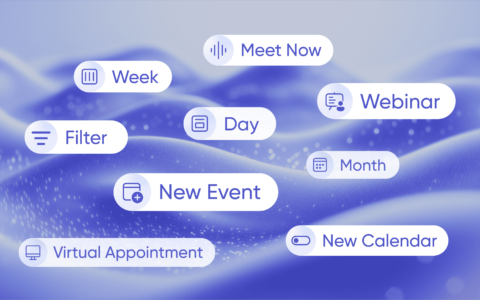
- Open Teams Calendar → New Event.
- In the meeting invite, click More options (three dots).
- Select Add Facilitator (or go to Options → Copilot and other AI and toggle Facilitator on).
- Done. Facilitator is now invited as a participant.
Option 2 – During an existing meeting
- Click the More actions (⋯) menu in the meeting controls.
- Choose Turn on Facilitator.
That’s it. The agent joins instantly and starts working. If your organization hasn’t enabled it yet, your IT admin can allow the “Facilitator” app in the Teams admin center in under two minutes.
Pro Tips from Office Managers Who Use It Daily
- Always include a short agenda in the meeting invite—Facilitator uses it to keep time and structure discussion.
- At the start of the meeting, say out loud: “Facilitator, our goal today is to finalize the Q3 budget.” It sets the tone perfectly.
- Use @Facilitator in chat for quick web searches or summaries without breaking flow.
- After the meeting, open the Recap tab and forward the summary straight to your team or paste it into eWay-CRM as a follow-up note—clean data, zero extra work.
- For recurring team meetings, turn Facilitator on once and it stays on for every future instance.
Reclaim Your Time
Meetings don’t have to be the productivity black hole they once were. Teams Facilitator turns every meeting into a well-documented, action-oriented conversation—and it’s already included in your Microsoft 365 investment. Log into Teams right now, create your next meeting, flip the switch, and watch the magic happen. Your future self (and your team) will thank you.