
eWay‑CRM 10: The New Generation of CRM for Microsoft 365 Starts Now


eWay‑CRM 10 is more than just another update. It marks an important milestone—the beginning of a new generation of CRM that’s even closer to Microsoft, better connected with Microsoft 365 apps, and designed to save you time and make your everyday work more enjoyable.
eWay‑CRM has long positioned itself as a CRM for Microsoft 365. With version 10, it moves even closer to this ecosystem—both visually and through deeper integration with the tools you already use every day. The goal is simple: keep everything important at hand, in an environment that feels natural to you.
We believe the following new features will help you get there.
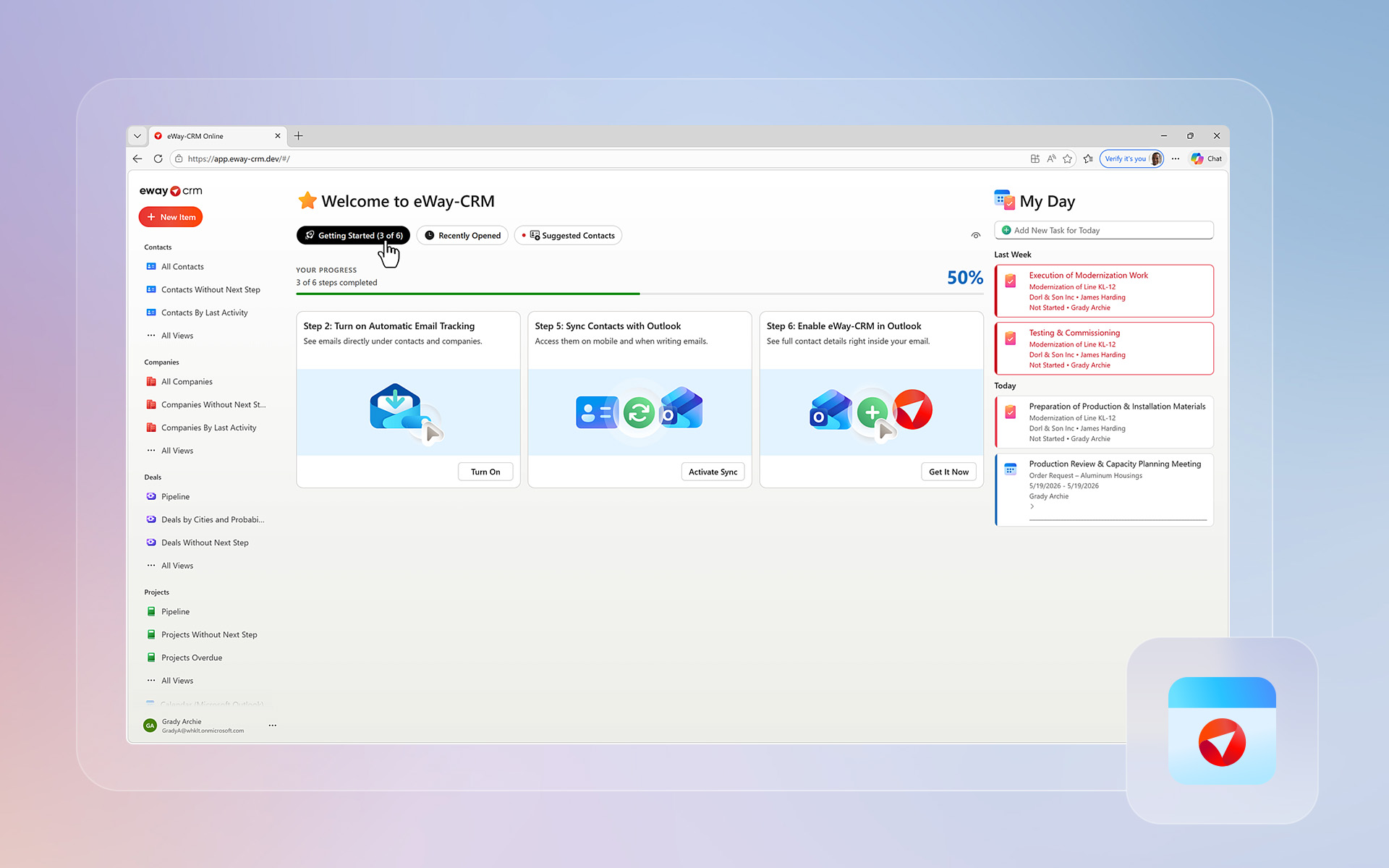
A Brand New Homepage
One of the key improvements in eWay‑CRM 10 is a fully redesigned homepage that serves as a clear starting point for your daily work:
- My Day shows your tasks and meetings right after you open the app.
- A large central area offers recently opened records, contact suggestions, and recommended features you haven’t activated yet—but that could save you plenty of time.
- Improved navigation gives you faster access to all modules and views. To make working with views even more comfortable, you can now reorder them freely using drag‑and‑
The homepage is designed to become the foundation of the new generation of eWay‑CRM. And we’re definitely not stopping here—more improvements are on the way.
Power BI Reports Upgraded to Views
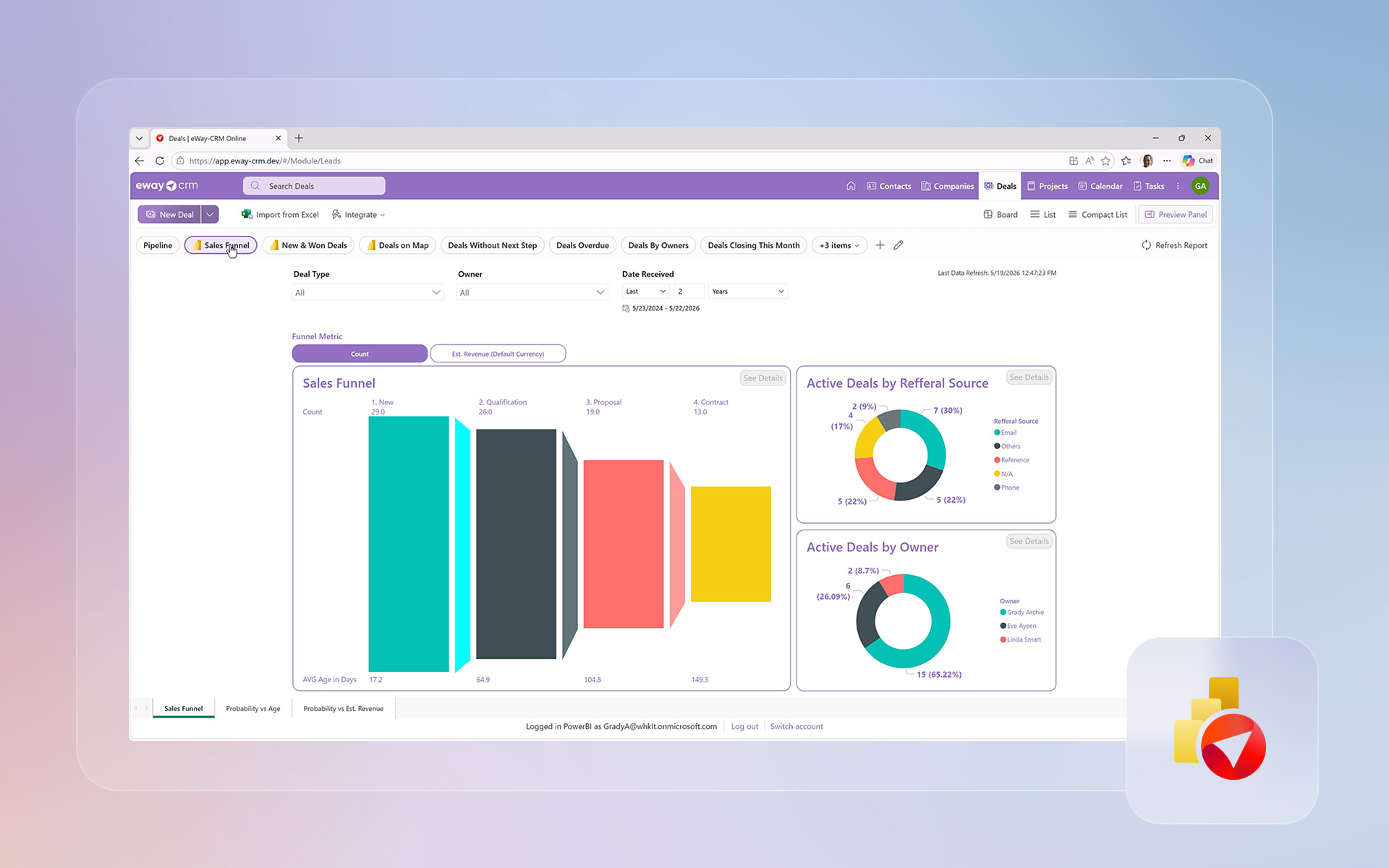
Power BI reports are now full‑fledged views and appear directly among other views in individual modules.
eWay‑CRM 10 also includes built‑in standard reports such as Sales Funnel, New & Won Deals, Deals on Map, or Sales by Product.
Thanks to this, you get an instant overview of your sales performance—directly in your CRM, without switching between apps.
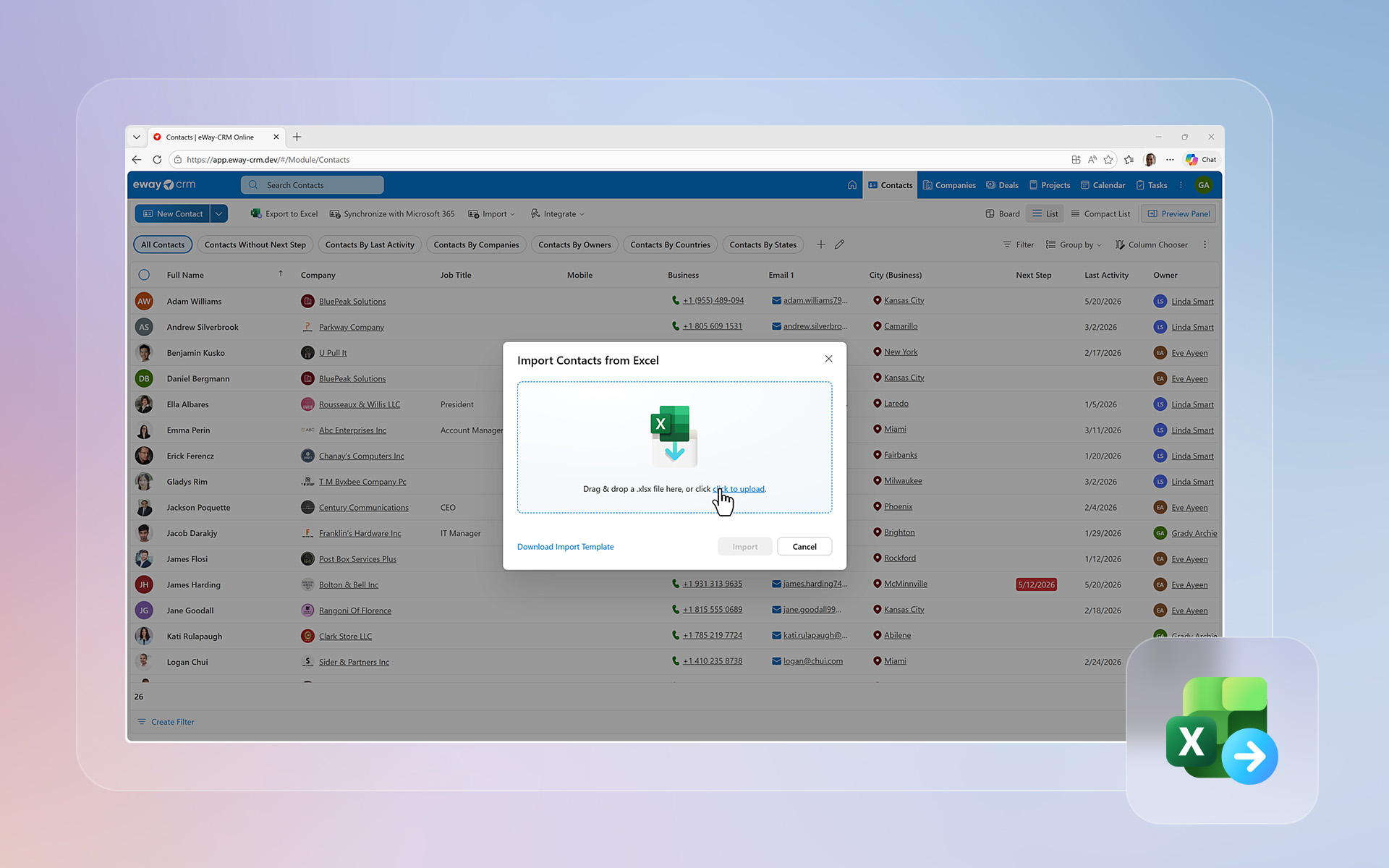
Import from Excel Directly in eWay‑CRM Online
If you’re migrating from another system or need to import a larger amount of data into your CRM:
- download a template,
- fill in your data in Excel,
- upload it back to eWay‑
The system validates and imports the data automatically—no need to use the desktop version.
Easy Duplicate Merging
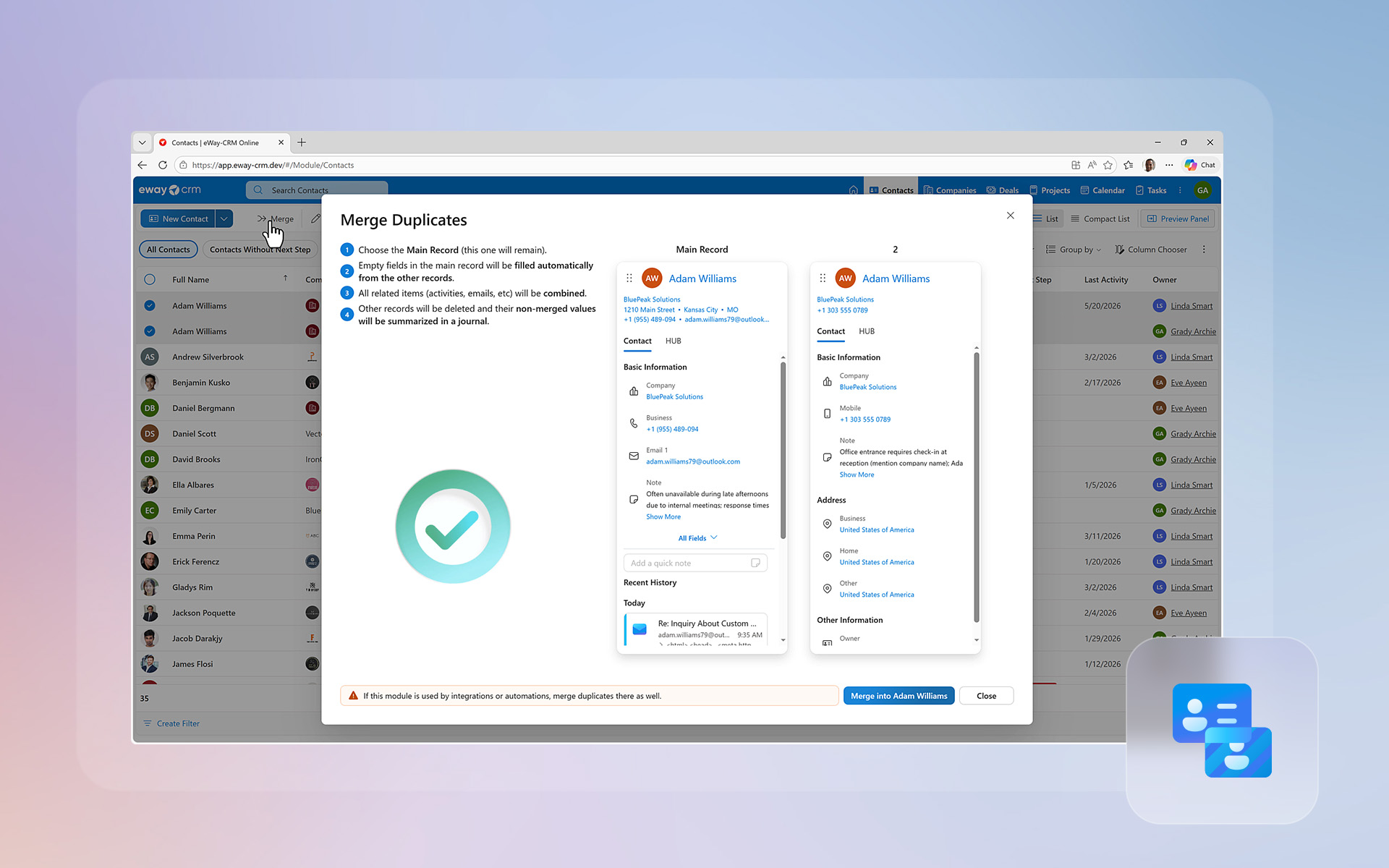
Clean data is essential. That’s why eWay‑CRM 10 introduces duplicate merging.
Simply:
- select two or more records,
- define their priority,
- and eWay‑CRM automatically merges fields, notes, and relationships.
You won’t lose any data—unused values are safely stored in a journal.
Email Signatures in eWay‑CRM Online
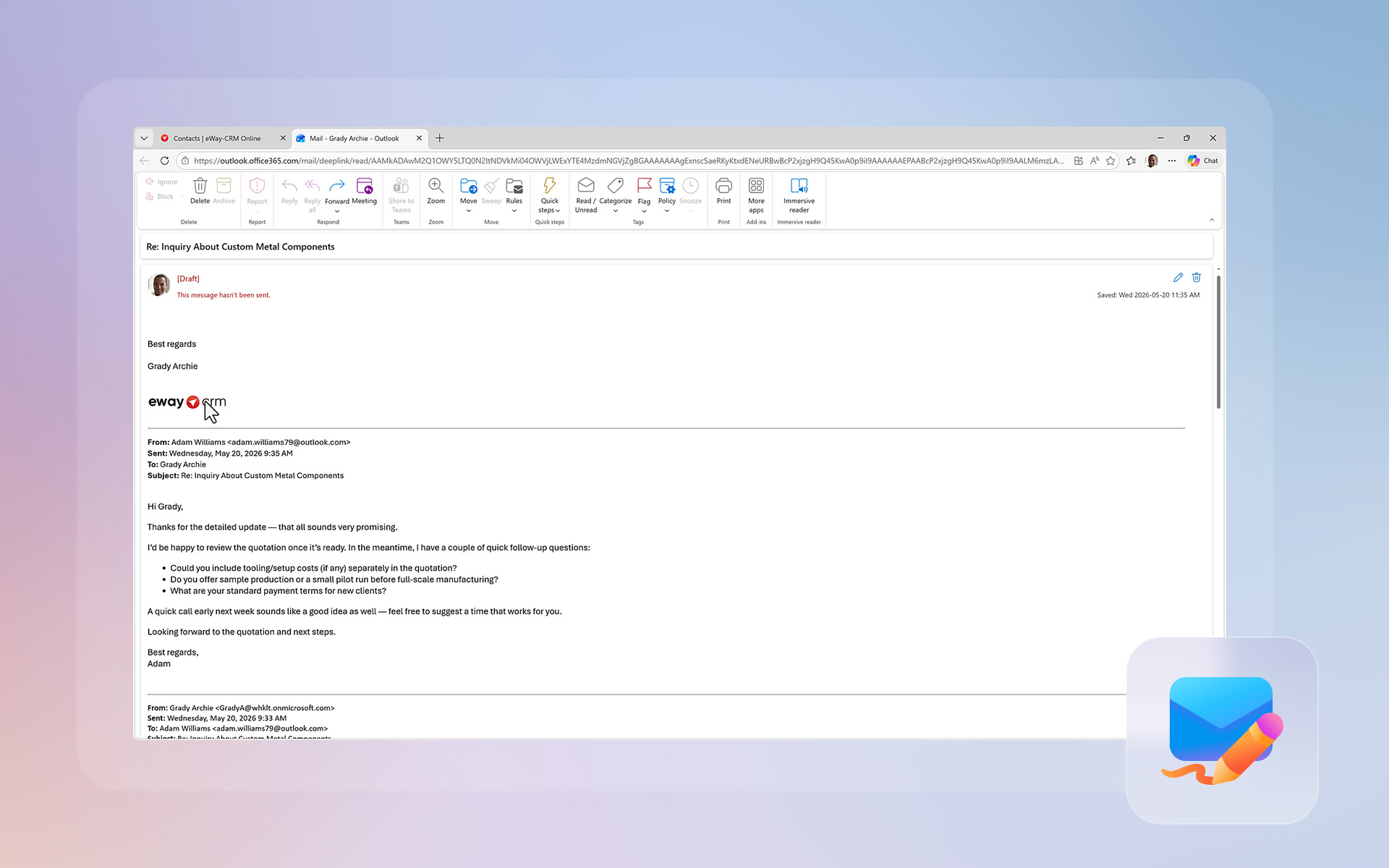
With eWay‑CRM 10, you can now set up your own email signature directly in Settings.
The signature supports HTML and can be used only for replies or for all outgoing emails.
New Integrations with Third‑Party Systems
eWay‑CRM 10 brings new and improved integrations. We focused mainly on email marketing platforms such as Mailchimp, Constant Contact, and other email marketing platforms. You can also look forward to tools that leverage artificial intelligence.
(Note: see all available integrations)
eWay‑CRM 10 isn’t just another version. It’s the start of a new generation—tightly connected to the Microsoft 365 ecosystem.
Already using eWay‑CRM and want to get the most out of the new features? Update to the latest version and try them out.
Not using eWay‑CRM yet? Experience a CRM built specifically for Microsoft 365.