Communication History Now Available While Drafting Emails and Scheduling Meetings

No more unnecessary duplicate replies to clients. Microsoft has just approved an update to eWay-CRM that extends the use of the Outlook side panel to the moment you are drafting a new email or planning a new meeting.
Full Context Available When Drafting Emails and Scheduling Meetings
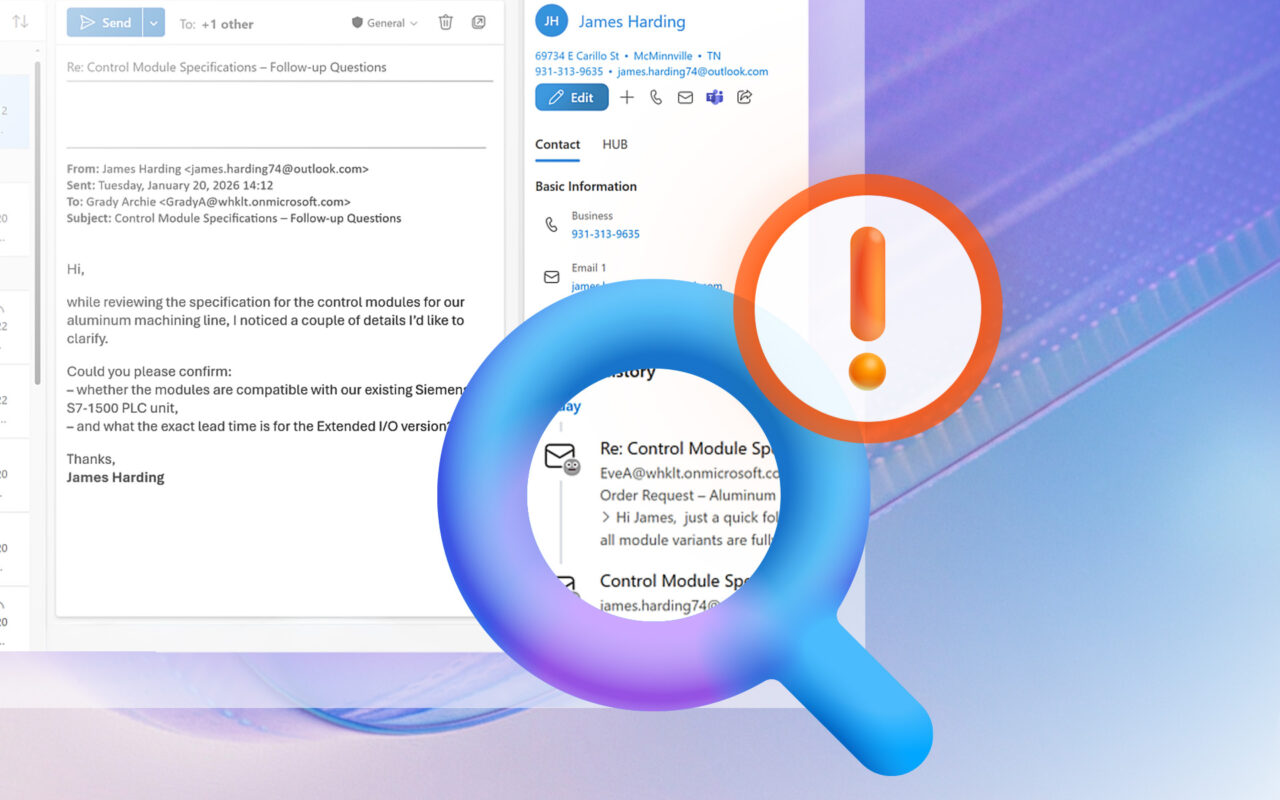
Communication history has always been part of eWay-CRM. What’s new is that you can now see it while you are drafting an email or planning a meeting, not only when working with an existing message or calendar event. Simply activate the eWay-CRM panel in a draft email or a new meeting and instantly check what has recently been discussed with that contact.
This makes it easy to see whether a colleague—who may have been copied on the conversation—has already replied in the meantime. There’s no need to switch between windows, search through older messages, or risk sending a response when the issue has already been handled.
The same concept applies to the Outlook Calendar. When scheduling a new meeting, the side panel shows related emails, notes, and previous communication stored in eWay-CRM. You have full context before you send an invitation or confirm a time. The result is faster, more confident communication without unnecessary chaos. CRM shifts from a passive archive of information to an active assistant right at the moment decisions are made.
Everything Updates Itself — You Just Keep Working
The eWay-CRM add-in update for Microsoft 365 will appear for Outlook users automatically, with no installation or configuration required. The global rollout may take several days.
The goal of this update is simple: to ensure that you always have full communication context right in front of you—no matter what you’re doing in Outlook. Try eWay‑CRM for free and work with complete clarity and confidence.